
Clear routing between departments
Set up IVR and extensions to distribute calls between administration, sales, support or reception without overloading a single line.
Centralise your company's phone service in Seville with IVR, extensions by department and schedule rules for teams working from the office or remotely.
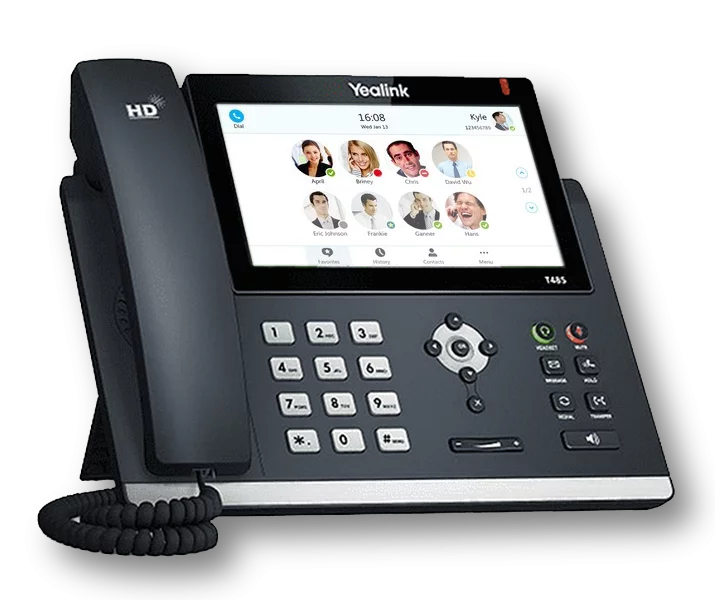
A virtual PBX in Seville replaces the physical PBX with a cloud platform that distributes calls between departments, users and sites without relying on internal wiring.
It's especially practical for consultancies, law firms, clinics, academies and service businesses where the same call may need to reach administration, sales, support or reception.
With VoIPer you can keep your corporate number, create extensions, record conversations and change call-handling rules as your team grows or reorganises.
Discover all our integrations with CRM and ERPIn Seville, many companies combine a PBX with sales handling and call routing between departments. This page focuses on that kind of day-to-day operation with several sites or internal teams.
Set up IVR and extensions to distribute calls between administration, sales, support or reception without overloading a single line.
Staff can answer calls from home or from another office in Seville while keeping the same corporate number.
Recordings, schedules and reports help consultancy, clinic, training or customer service teams better measure their operations.
Your company's PBX in Seville can go beyond telephony: optional artificial intelligence, Microsoft Teams as an extension and the widest range of integrations on the market.
Optional AI agents that answer your business calls in Seville 24 hours a day, book appointments or reservations, transcribe and analyse every conversation and transfer to a human agent when needed.
Discover AI
Turn Teams into another extension of your PBX in Seville: external calls with your corporate number, at no extra cost from VoIPer.
See Microsoft TeamsNo other PBX offers so many integrations: connect your Seville business's telephony with your CRM or ERP and log every call automatically.
See integrationsConfigure menús de voz interactivos para dirigir automáticamente las llamadas.
Grabe y almacene en la nube todas sus conversaciones telefónicas.
Redirija llamadas a móviles, extensiones o buzones automáticamente.
Defina horarios de atención y configure respuestas automáticas fuera de horario.
Reciba mensajes de voz cuando no pueda atender una llamada.
Gestione eficientemente el flujo de llamadas con colas y música de espera.
Desvío automático en caso de fallo de conectividad.
Analice el flujo de llamadas de su empresa con informes completos.
Atienda llamadas desde el navegador de su ordenador, sin instalar software adicional.
All inclusive, no small print.