
Capacity for high-volume teams
Manage several simultaneous calls with queues, hunt groups and visibility of each extension's status.
Design a virtual PBX for Madrid ready for high call volumes, sales teams, multiple offices and coordinated support from a single dashboard.
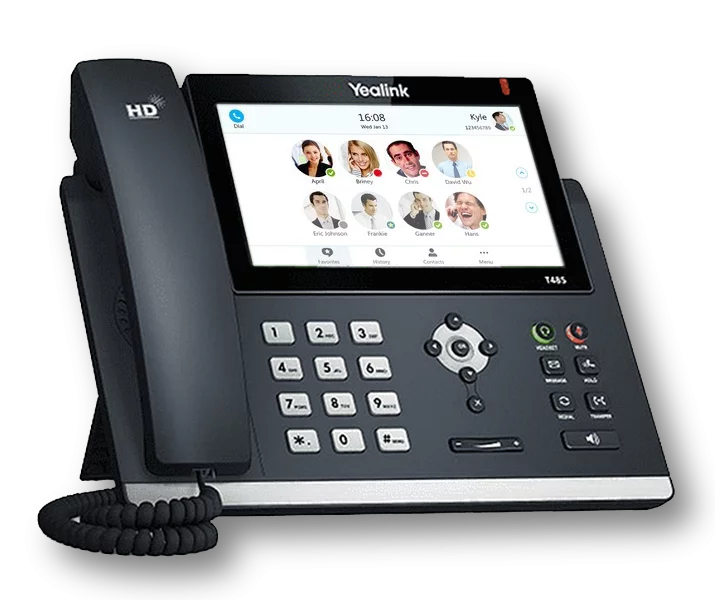
A virtual PBX in Madrid lets a company with several agents handle concurrent calls, route each enquiry and keep full traceability of phone activity.
It's useful for sales, support and consultancy teams, B2B services or companies with regional offices that need consistent operations without installing a PBX in every location.
VoIPer provides multi-device extensions, queues, recording, schedules and CRM integration so telephony connects with your sales and customer service processes.
Discover all our integrations with CRM and ERPMadrid usually demands faster response times, several agents handling calls at once and coordination between the main office, regional offices and remote staff. This page is focused on that scenario.
Manage several simultaneous calls with queues, hunt groups and visibility of each extension's status.
Unify telephony for Madrid and other regional offices in a single dashboard with shared rules, schedules and reporting.
Connect your PBX with CRM or ERP to identify calls, log activity and speed up your sales team's work.
Your company's PBX in Madrid can go beyond telephony: optional artificial intelligence, Microsoft Teams as an extension and the widest range of integrations on the market.
Optional AI agents that answer your business calls in Madrid 24 hours a day, book appointments or reservations, transcribe and analyse every conversation and transfer to a human agent when needed.
Discover AI
Turn Teams into another extension of your PBX in Madrid: external calls with your corporate number, at no extra cost from VoIPer.
See Microsoft TeamsNo other PBX offers so many integrations: connect your Madrid business's telephony with your CRM or ERP and log every call automatically.
See integrationsConfigure menús de voz interactivos para dirigir automáticamente las llamadas.
Grabe y almacene en la nube todas sus conversaciones telefónicas.
Redirija llamadas a móviles, extensiones o buzones automáticamente.
Defina horarios de atención y configure respuestas automáticas fuera de horario.
Reciba mensajes de voz cuando no pueda atender una llamada.
Gestione eficientemente el flujo de llamadas con colas y música de espera.
Desvío automático en caso de fallo de conectividad.
Analice el flujo de llamadas de su empresa con informes completos.
Atienda llamadas desde el navegador de su ordenador, sin instalar software adicional.
All inclusive, no small print.